
State Assessment Results
How to access your student’s CMAS scores in Pearson Family Portal
Colorado Measures of Academic Success (CMAS) Student Score reports are available through the Pearson Family Portal – familyportal.pearson.com/CO
Parents will need the 10-Digit Student State ID number, which can be found through the Infinite Campus Parent Portal. This is different from the student ID used at the school level.
How do I find the 10-Digit Student State ID?
- CMAS SASID Parent Instructions or
- Contact your student’s school and request this information
- CDE CMAS Parent Guides
How to access your student’s SAT or PSAT scores in College Board
Colorado SAT and PSAT student score reports are available directly from the College Board Portal – collegeboard.org
*Student login credentials required
- College Board Parent Guides:
How to Find the 10 Digit State ID through the Parent Portal in Infinite Campus
I would like the content from the link above to be seen here, if possible
CMAS SASID Parent Instructions
Parents need to access their Parent Portal in Infinite Campus. An Introduction to Infinite Campus for Parents is available if you need a reference about setting up a parent portal or if they forget their password.
Infinite Campus Parent Portal
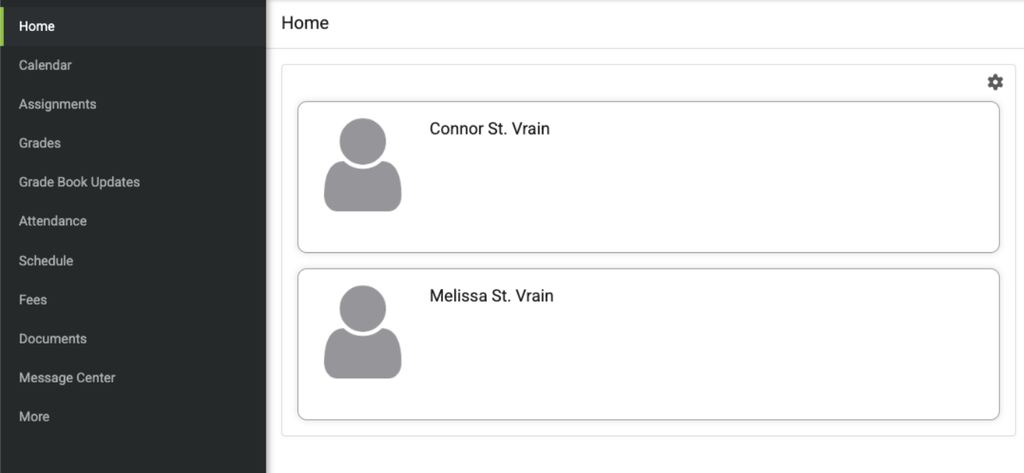
The Parent Portal will display student(s) associated with this parent account.
Select student to view Student Profile Page:
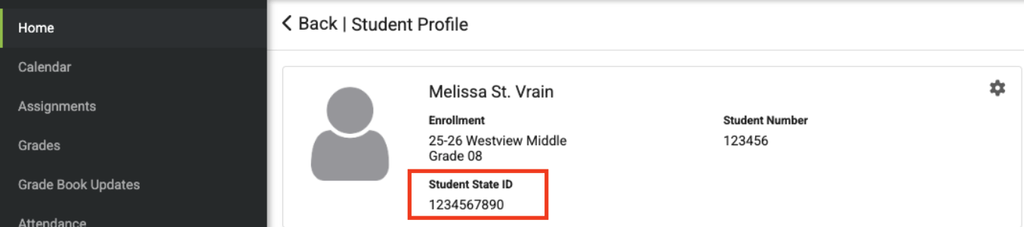
The Student Profile page has the Student State ID (SASID) listed.
It is the 10-digit number outlined in the red box below: